

PC as a DAW Platform
PCs can be mapped to the basic von Neumann architecture we reviewed in the Microprocessor section. The PC is a scaled up version of a microprocessor.
| Von Neumann Model | Examples | |||
| CPU | Address Bus | Data Buss | Control Bus | |
| Permanent Memory | BIOS | Boot Sequence | Firmware | |
| Working Memory | Cache Layers | System RAM | Adapter RAM | |
| Input | Microphone | Qwerty Keyboard | MIDI Device | Mouse |
| Output | Display | Communications | Audio | Storage |
The PC first came to market in the early 1980’s based on an open architecture provided by IBM built around an Intel 8088/8086 CPU, and an ISA expansion bus to fit additional cards, modems and vga adapters. The legacy of that early architecture is still present in the latest generation of PC’s. C:\ is the common notation for system drives because the first two letters A and B were reserved for floppy drives in the first generation of PC compatible machines.
Today’s PCs are much more powerful than the early PCs and continue to get faster (Moore’s Law)
Graph Clock Speed vs Time
Clock speed alone is not the definitive indicator for performance – other factors need to be considered….
Digital Audio Workstations
Digital Audio recording was once the domain of dedicated hardware devices with proprietary formats and interfaces, software vendors often hyped their early products as an alternative solution to expensive HDD systems but were not really able to deliver, the products were unstable and poorly supported. Advances in compute capabilities in Modern PC architecture (later than 2010) are capable of the professional Multi track Audio that would of cost 100000’s a decade ago, can be achieved at a fraction of the cost today. Even the most basic current PCs are capable of producing some stunning results.
A PC workstation that has hard disk recording capabilities is commonly referred to as a DAW (Digital Audio Workstation) these workstations can do the following
- Advanced Multi Track digital Audio Recording
- Non Linear Editing
- Audio Mix down
- Mastering and Digital Production (CD and streaming Platforms)
- Host for Software based instruments and FX
- Automation and Machine control
- Sequencing and Sound Design
- Sampling
- Interfaces to external MIDI equipment
- Interfaces to DSP Audio devices
Tips for a building a creators workstation
A dedicated Audio Workstation can easily be built on a PC hardware platform.
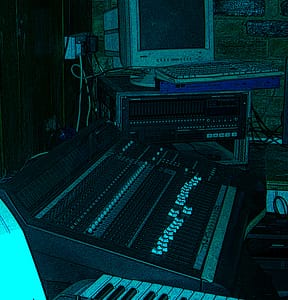
First define your primary purpose. Audio Workstation DAW
Generally speaking a DAW should have the following characteristics
- High end Multicore processor
- Large Amount of high speed system RAM
- Solid state system disk for applications live projects and OS
- Storage for samples (SSD optional)
- Audio Interface
- MIDI Interface
- Displays
- Keyboard & Mouse
- MIDI controller and Microphone advisable
Desktop or Laptop? Personally I would choose a desktop for a studio and a Laptop for mobility or backup. The plug and play feature allows the end user to configure the platform to their personal taste (and Budget). The ability to recycle components and select discrete upgrades, upgrade options on laptops are limited to external devices and adapters and the configuration shipped from the factory …. Does it have expansion space for storage devices and expansion cards (card reads additional USB ports
Here’s a table summarizing the pros and cons of desktops versus laptops for a DAW:

| Desktop | Laptop |
|---|---|
| More powerful | Less powerful |
| Easier to upgrade | Limited upgrade options |
| Better ergonomics | Not as ergonomic |
| Less portable | Highly portable |
| More expensive | Less expensive |